
Last Updated:
Sarvam AI has released its first Indus chatbot app for mobile users in India with support for local languages and more.




The Indus app runs on the Sarvam 105B AI model from the Indian AI startup.
Sarvam AI has entered the chatbot arena with the Indus app which is now available for Android and iOS users in India via the respective app stores. Sarvam AI has been hogging the headlines at the AI Impact Summit earlier this month, and now we are seeing end user applications rolling out that you and I can use on our regular devices.
The company started the roll out with a waitlist but we managed to get through after a few tries which gave us the chance to really try out the AI model and how this Indus app is looking to show the future for a sovereign India in the years to come.
Sarvam AI Indus App Is Live: How To Install On Your Phone
- Head over to Google Play Store or Apple App Store
- Search for Indus app by Sarvam and install
- Sign in with your mobile number or email ID to create account
- Indus AI chat interface will welcome you to chat
The Android app is available in version 0.1.7 for Android users and you need Android 7.0 or higher versions to use the AI chatbot app.
Indus AI App: What Permission It Needs
The Play Store listing has privacy details for the Indus app and these are the permissions it needs:
Camera – to take picture and videos
Microphone – record audio
Others
Download files without notification
Read image files from shared storage
Control vibration
Have full network access
View network connections
Prevent phone from sleeping
View Wi-Fi connections
All these permissions can be disabled from the app management settings of your phone.
Sarvam AI Indus App: What It Offers
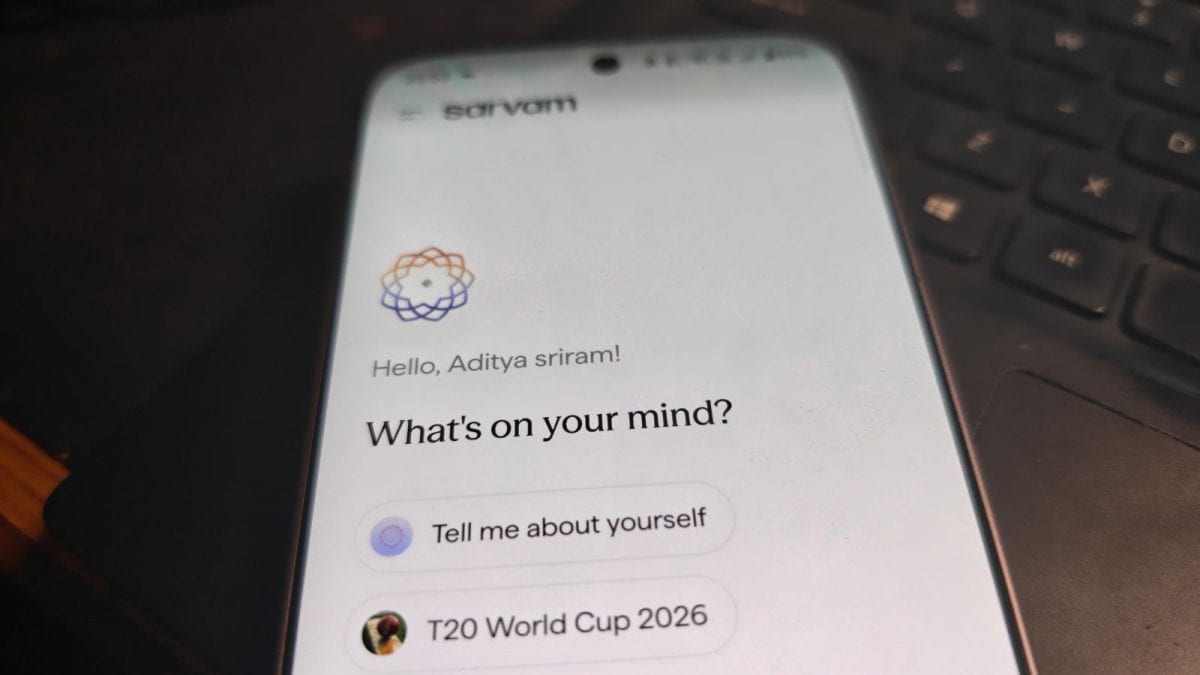
The Indus AI chatbot app doesn’t try anything new or different. The interface is simple, easy to use for anybody and clean with the font style easy to read. Once you sign and and open the app, you will see the message ‘Let’s make something happen,’ and under that you can see options like:
- Tell me about yourself
- T20 World Cup 2026
- Help me cook biryani
You can also type your own queries, or even record a voice note which can be sent like a message to the AI chatbot. You get a mic icon next to the message bar to send the audio version which is a popular route among many users in India.
The AI chatbot is claimed to be fluent in 11 Indian languages. It has been designed to think and you see the Thinking label when the AI is doing the heavy work in the background.
Sarvam AI says Indus can help you with seamless results by scanning the internet and giving you direct answers for latest news for any trivia you wanted to know. It will gradually get other powers like uploading images or documents to give answers and hopefully generate images like ChatGPT or Nano Banana as the AI model evolves.
Delhi, India, India
February 23, 2026, 09:05 IST
Read More